


Adding an AI chatbot to WordPress has become one of the most cost-effective ways to handle customer enquiries, qualify leads, and reduce the time your team spends answering the same questions repeatedly. The key is choosing a chatbot that connects to your actual content — not one that gives generic answers.
Types of WordPress Chatbot
Rule-Based Chatbots
These follow decision trees. If the user asks about pricing, it shows the pricing page. They are reliable and predictable but limited to scenarios you have explicitly programmed. Good for: booking flows, FAQ navigation, and lead capture forms.
AI-Powered Chatbots
These use large language models (LLMs) like GPT-4 to generate responses. When trained on your site’s content, they can answer nuanced questions about your services, products, and policies in natural language. Good for: customer support, technical queries, and complex product explanations.
How to Add an AI Chatbot to WordPress
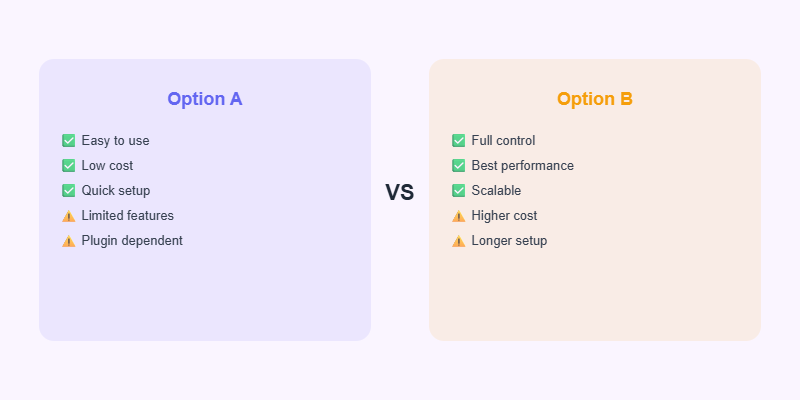
Option 1: Plugin Solution
Tidio, Intercom, and Freshchat all offer WordPress plugins with AI features. Install the plugin, add your API key, configure the chatbot’s persona, and upload your FAQ or product documentation as training data. Most offer a free tier with limited conversations per month.
Option 2: Custom ChatGPT Integration
For businesses that need the chatbot to draw on proprietary data, a custom integration is more effective. Build a WordPress plugin that sends user messages and relevant site content to the OpenAI API and streams the response back. This approach costs more to build but produces far more accurate, brand-specific responses.
What Makes a Good WordPress AI Chatbot?
- It knows your products, services, and policies — not just generic information.
- It qualifies leads and captures contact details before handing off to a human.
- It is honest about its limitations and escalates complex questions appropriately.
Start Your Project with Softnexis
WordPress development and AI automation for businesses worldwide.
What a good AI chatbot should do
- Answer common questions about services, prices and opening hours instantly.
- Collect name, email and phone before handing over to a person.
- Book calls or appointments directly into your calendar.
- Work in more than one language if your customers need it.
- Hand complex questions to your team without frustrating the visitor.
Setting it up on WordPress
Choose a tool that can learn from your own pages and FAQs, install its plugin or script, and limit answers to your business information so it does not invent facts. Test it with real customer questions before launch and review conversation logs each week to improve weak answers.
Measuring the impact
Track how many chats start, how many become leads and how many questions the bot answers without help. Most businesses see faster response times and more after-hours enquiries within the first month. An AI chatbot works best as a helpful first contact, with your team ready to take over when it matters.
AI chatbot: frequently asked questions
Will an AI chatbot replace my support team?
No. An AI chatbot handles common questions instantly and passes complex cases to people, so your team focuses on high-value conversations.
How do I train an AI chatbot on my website?
Most tools let you upload pages, FAQs and documents. Keep the AI chatbot knowledge base updated whenever services or prices change.
Further reading
For AI risk guidance, see the NIST AI Risk Management Framework.



