

Understanding WordPress hooks, actions, and filters is the most important concept for anyone who writes WordPress code. Hooks are how WordPress lets you modify behaviour and add functionality without editing core files — and they are the foundation of every plugin and theme.
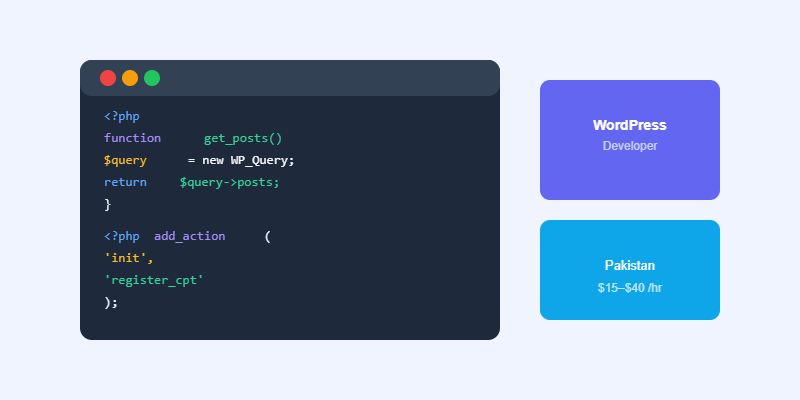
What Are WordPress Hooks?
A hook is a defined point in WordPress’s execution where you can attach your own custom code. WordPress runs through a sequence of operations when loading every page — querying the database, building the HTML, sending the response. Hooks let you insert your code at specific points in that sequence.
Actions vs Filters
Actions (add_action)
Actions let you run code at a specific point in WordPress execution without needing to return a value. Examples: run code when a post is saved, add HTML to the page footer, register a custom post type on WordPress initialisation. You hook into an action with add_action(‘action_name’, ‘your_function’).
Filters (add_filter)
Filters let you receive a value, modify it, and return the modified version. Examples: add text to the beginning of all post content, change the excerpt length, modify the list of allowed HTML tags. You hook into a filter with add_filter(‘filter_name’, ‘your_function’) and your function must return the modified value.
Priority and Arguments
Both add_action and add_filter accept a third parameter (priority, default 10) and fourth parameter (number of arguments). Lower priority numbers run first. If two functions hook into the same action, the one with priority 5 runs before the one with priority 20.
Start Your Next Web Project
WordPress, WooCommerce and AI automation — professional delivery from Softnexis Technologies.
WordPress hooks: frequently asked questions
What is the difference between WordPress hooks: actions and filters?
Actions run your code at a specific moment, such as when a post is saved. Filters receive data, change it and return it. Both WordPress hooks let you customise behaviour without editing core files.
Where should I add WordPress hooks?
Add WordPress hooks in a child theme functions.php file or, better, in a small custom plugin so your changes survive theme updates.
Further reading
See the full reference in the official WordPress Plugin Handbook.



