


CRM integration with WordPress turns your website from a brochure into an active part of your sales funnel. When form submissions, page views, and contact requests flow automatically into your CRM, your sales team gets real-time data without manual data entry.
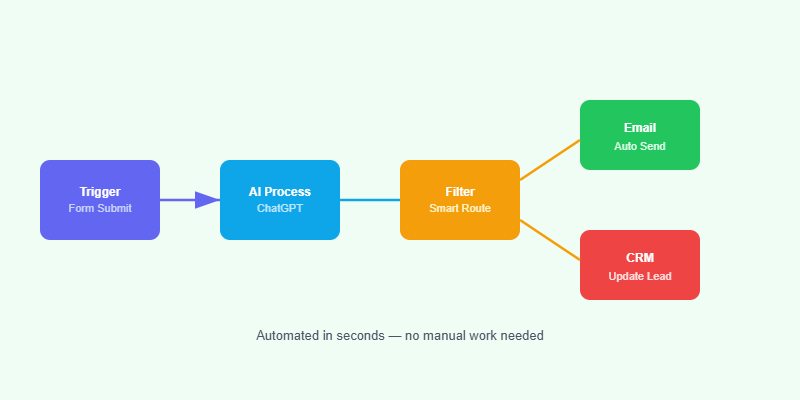
How to Connect Your CRM to WordPress
HubSpot
Install the official HubSpot WordPress plugin. It embeds HubSpot’s tracking code, syncs your WordPress forms with HubSpot contacts automatically, and lets you add HubSpot forms and live chat directly to pages. All contact and form data goes directly into HubSpot CRM.
Salesforce
Use WPForms or Gravity Forms with their Salesforce add-ons to map form fields to Salesforce object fields. New form submissions create or update leads and contacts in Salesforce in real time. For complex integrations, Make.com provides a more flexible connection with full access to the Salesforce API.
Pipedrive and Zoho
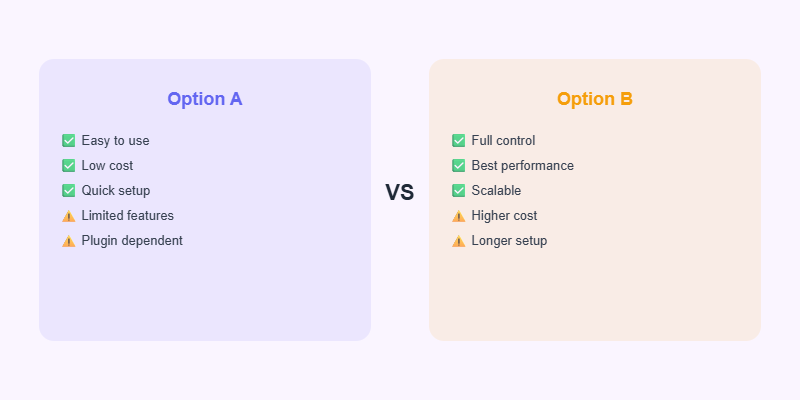
Both offer official WordPress plugins and Make.com/Zapier connectors. Map your lead capture forms to CRM pipelines so every new enquiry becomes a deal in your pipeline without anyone copying and pasting contact details.
Best Practices for WordPress CRM Integration
- Map only the fields you actually use — less data is easier to act on.
- Set up a CRM pipeline stage for “Website Enquiry” to track conversion rates from web leads.
- Trigger a CRM task for the relevant salesperson within 5 minutes of a new enquiry arriving.
Start Your Next Web Project
WordPress, WooCommerce and AI automation — professional delivery from Softnexis Technologies.
CRM integration with WordPress: frequently asked questions
Do I need a developer for CRM integration with WordPress?
Not always. Many CRMs offer official plugins or form connectors. A developer helps when you need custom fields, two-way sync or integration with WooCommerce orders.
Which CRM works best for CRM integration with WordPress?
HubSpot is the easiest to start with thanks to its free plugin. Salesforce and Zoho suit larger teams that need advanced automation and reporting.
Further reading
HubSpot documents the setup in its official WordPress plugin guide.



