
WordPress vs Webflow is one of the most common questions when planning a new business website. WordPress powers over 40 percent of the web and offers unlimited flexibility through plugins. Webflow is a visual, hosted platform loved by designers for pixel-perfect layouts. Both can build fast, beautiful, SEO-friendly sites, but they suit different needs. Here are seven key differences in the WordPress vs Webflow debate to help you choose.
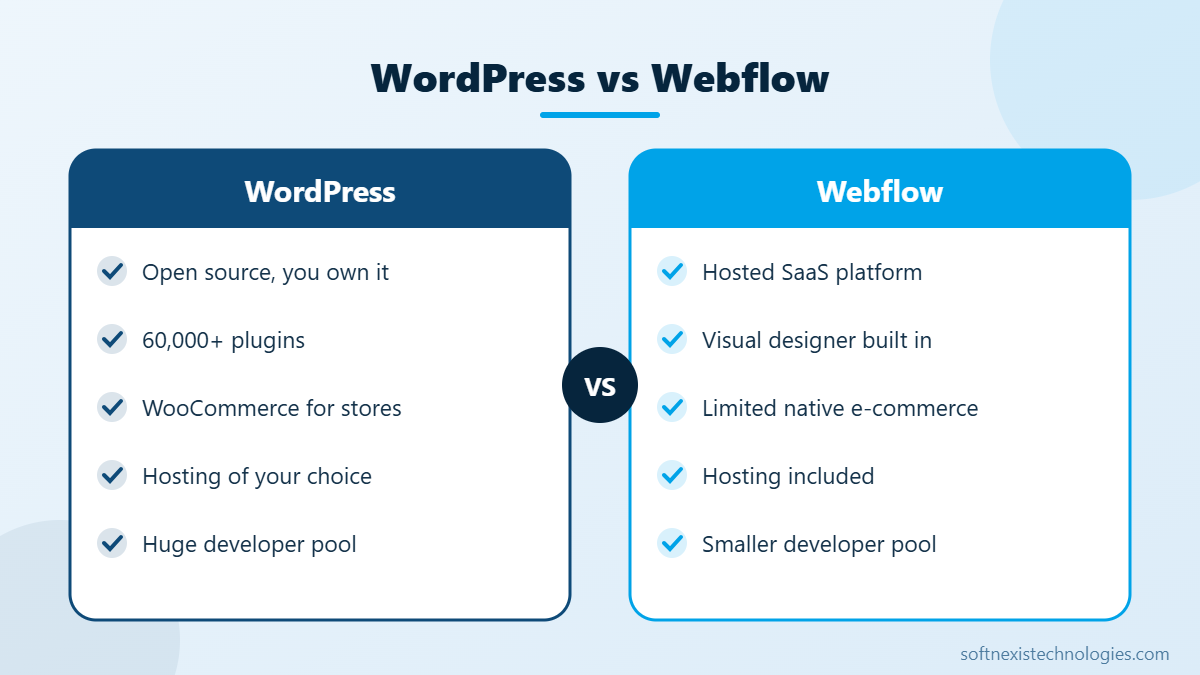
WordPress vs Webflow: 7 key differences
- Ownership. WordPress is open source, so you own your site and can host it anywhere. Webflow is a hosted platform, so your site lives on their servers under their plans.
- Cost. WordPress software is free, but you pay for hosting, themes and premium plugins. Webflow charges monthly site and workspace plans, which can rise as you add pages, CMS items or team members.
- Design freedom. Webflow gives designers fine visual control without code. WordPress with Elementor or block themes is also flexible, and custom themes have no limits.
- Plugins and features. WordPress has tens of thousands of plugins for bookings, memberships, forms, LMS and CRM integrations. Webflow relies on its own features plus third-party embeds.
- E-commerce. WooCommerce on WordPress supports complex stores. Webflow e-commerce suits small catalogues.
- SEO. Both handle titles, meta descriptions, clean URLs and sitemaps well. WordPress has powerful SEO plugins like Rank Math and Yoast for advanced schema and content analysis.
- Developer availability. WordPress developers are easy to find worldwide at many price points. Webflow specialists are fewer and often more expensive.
Speed and Core Web Vitals
Webflow sites are hosted on a fast CDN and usually load quickly out of the box. WordPress sites can be just as fast with good hosting, caching and a lightweight theme, but they need more care. See our guides to improve largest contentful paint and Core Web Vitals.
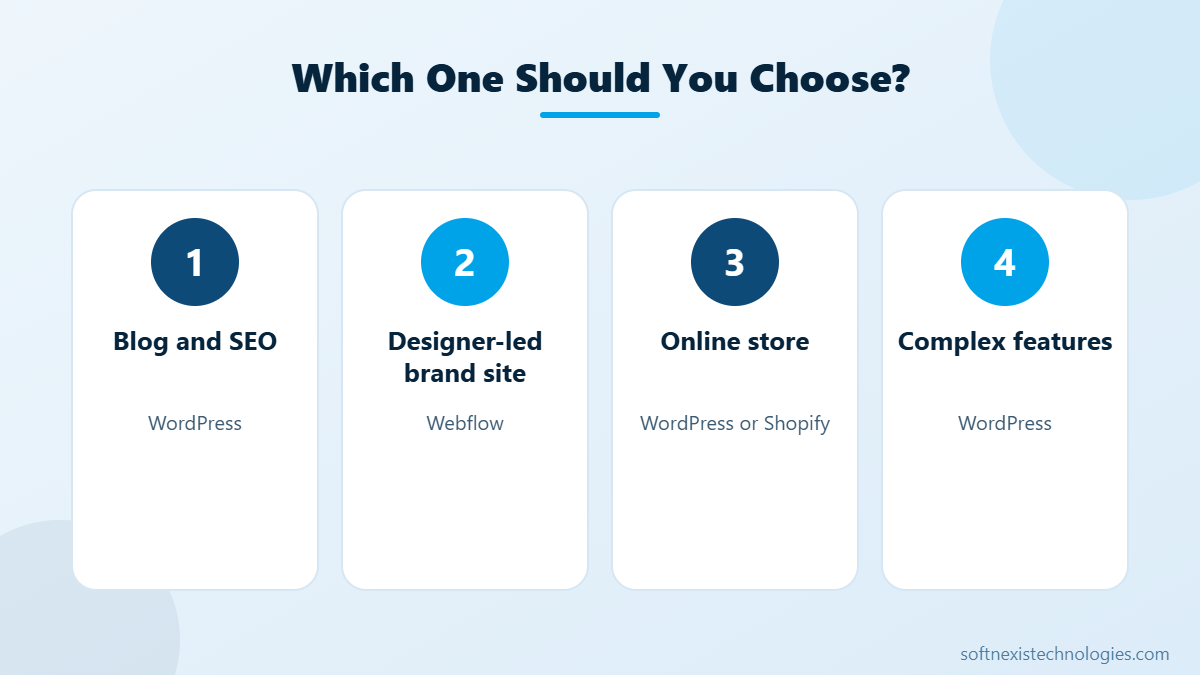
When to choose WordPress
- You want full ownership and freedom to switch hosts.
- You plan a content-heavy blog or need advanced SEO.
- You need features like bookings, memberships, LMS or WooCommerce.
- You want access to a large, affordable developer pool.
When to choose Webflow
- Your team is design-led and wants visual control without code.
- The site is mostly marketing pages with a simple CMS.
- You prefer an all-in-one hosted platform with less maintenance.
Our recommendation
For most small and medium businesses that want leads, content and room to grow, WordPress offers the best balance of cost, flexibility and SEO. For designer-led brand sites with simple needs, Webflow is a strong choice. Still deciding? Read WordPress vs Shopify vs custom website, or explore our WordPress development services and get a free recommendation for your project.
Key takeaways: WordPress vs Webflow
- In the WordPress vs Webflow choice, WordPress wins on ownership, plugins and cost at scale.
- Webflow wins on built-in visual design and hosted simplicity.
- Both platforms can rank well when content and speed are strong.
- Your features, budget and team skills should decide the platform.
There is no single winner in WordPress vs Webflow. Write down the features you need today and in two years, then choose the platform that supports them with the lowest long-term cost and effort.
Your next step
Pick the two or three actions above that fit your situation, assign an owner and a deadline, and review the results after 30 days. Small, steady improvements add up quickly. If you would rather have experts handle it, the Softnexis Technologies team can audit your current setup, share a clear priority list and implement the changes for you. Talk to our team for a free consultation and a written plan within 24 hours.
WordPress vs Webflow: FAQs
Is Webflow better than WordPress for SEO?
Both can rank well. WordPress offers more advanced SEO plugins, while Webflow has solid built-in SEO controls.
Is WordPress cheaper than Webflow?
For many sites, yes, especially as they grow. WordPress has no platform fees, while Webflow plans increase with features and team size.
Can I move from Webflow to WordPress?
Yes. Content can be exported and rebuilt in WordPress, with redirects set up to protect your rankings.
Further reading
See Elementor vs Gutenberg. Official sites: WordPress.org and Webflow.
Featured image by Freepik.