

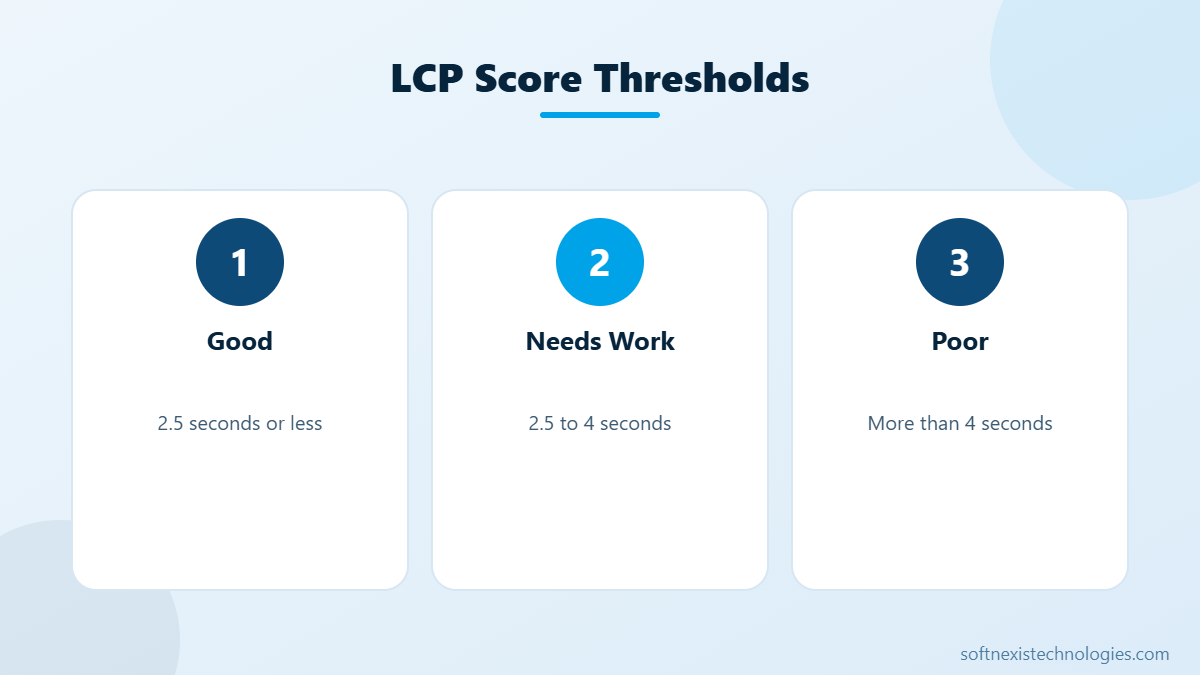
If you want to improve largest contentful paint, you are working on the Core Web Vital that visitors feel most. Largest Contentful Paint (LCP) measures how long it takes for the biggest visible element, usually a hero image or main heading, to appear on screen. Google considers 2.5 seconds or less good and anything above 4 seconds poor. A slow LCP makes a site feel broken, increases bounce rates and can hold back rankings. This guide explains what slows LCP down and ten proven ways to improve largest contentful paint on WordPress, Shopify and custom websites.
What counts as the LCP element?
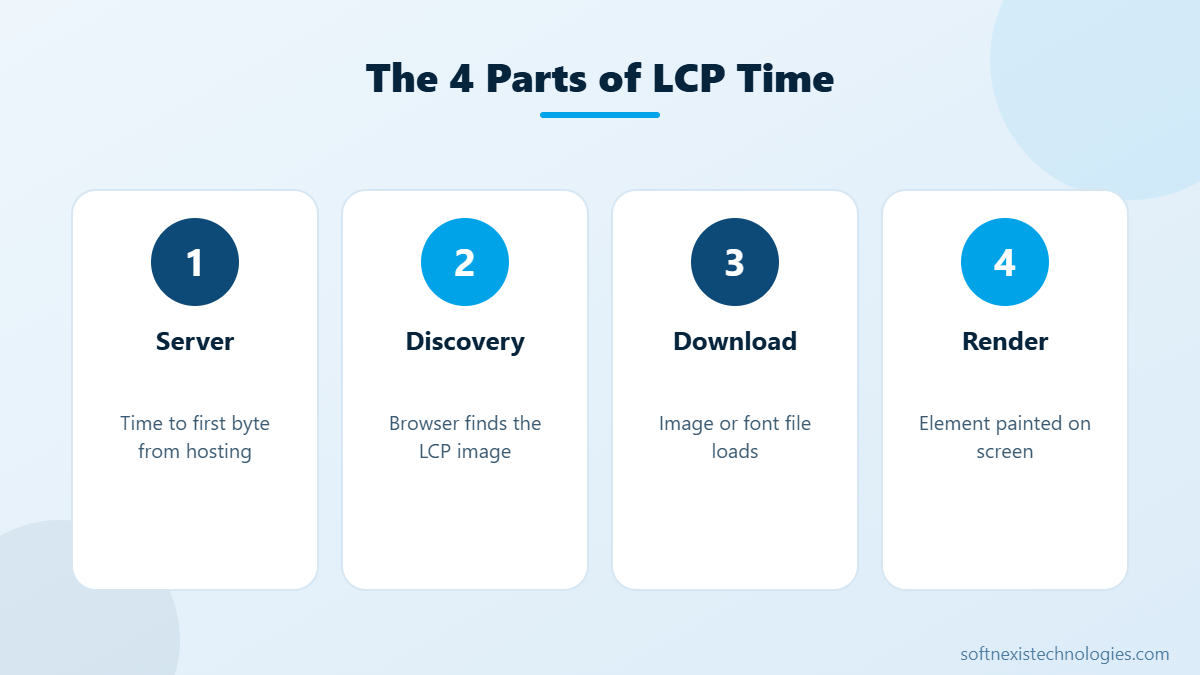
The LCP element is the largest image, video poster or text block visible in the viewport when the page first loads. On most business websites it is the hero image or the main H1 heading. PageSpeed Insights shows which element is your LCP under the diagnostic Largest Contentful Paint element. Knowing this is the first step, because every fix should focus on getting that one element on screen faster.
Why LCP matters for SEO and sales
LCP is one of three Core Web Vitals used by Google as a page experience signal, together with Interaction to Next Paint and Cumulative Layout Shift. Beyond rankings, speed affects revenue directly. Visitors who wait more than three seconds often leave before they see your offer. When you improve largest contentful paint, you usually see lower bounce rates and more enquiries from the same traffic.
10 proven ways to improve largest contentful paint
- Use fast hosting and page caching. A slow server delays everything. Choose LiteSpeed or NGINX hosting with full-page caching so HTML is served in under 600 milliseconds.
- Use a CDN. A content delivery network serves files from a location close to each visitor.
- Compress and resize the hero image. Serve WebP or AVIF, sized for the screen. A 300 KB hero loads far faster than a 2 MB one.
- Never lazy-load the LCP image. Lazy loading delays the most important image. Load it eagerly and add fetchpriority high.
- Preload the LCP image. A preload hint lets the browser start downloading it before it parses CSS.
- Inline critical CSS. Render-blocking stylesheets delay painting. Inline the CSS for above-the-fold content and load the rest asynchronously.
- Defer non-critical JavaScript. Chat widgets, sliders and tracking scripts should not block the first render.
- Preload and self-host key fonts. If your LCP element is text, a slow web font delays it. Use font-display swap and preload the main font file.
- Remove heavy sliders. A static hero image almost always beats a carousel for LCP.
- Reduce third-party requests. Every external script competes for bandwidth with your LCP image.
How to improve largest contentful paint on WordPress
On WordPress, the biggest wins come from a caching plugin such as LiteSpeed Cache or WP Rocket, an image optimisation plugin, and a lightweight theme. Page builders like Elementor can still score well if you avoid heavy sliders, limit fonts and enable CSS and JavaScript optimisation. Our WordPress speed guide walks through the full setup.
How to improve largest contentful paint on Shopify
Shopify handles hosting and CDN for you, so focus on the theme and apps. Use a modern Online Store 2.0 theme, compress hero images before upload, and remove apps you no longer use, because many inject scripts on every page.
Measure, fix and validate
Test with PageSpeed Insights on mobile, fix one issue at a time and re-test. Field data in Search Console updates over 28 days, so use the Validate fix button after deploying changes. Teams that improve largest contentful paint step by step usually reach the good range within a few weeks.
Get expert help
Softnexis Technologies runs Core Web Vitals audits and speed optimisation for WordPress, WooCommerce and Shopify sites. We fix hosting, images, fonts and scripts, and we test every change on real devices. Book a speed audit to get a prioritised action plan.
Key takeaways: improve largest contentful paint
- Find your LCP element first, then focus every fix on it.
- Fast hosting, caching and a CDN lower server response time.
- Compress, preload and never lazy-load the hero image.
- Defer non-critical scripts and limit web fonts.
Teams that improve largest contentful paint usually see lower bounce rates and more conversions. Re-test after every change and validate the fix in Search Console so Google sees the improvement.
Your next step
Pick the two or three actions above that fit your situation, assign an owner and a deadline, and review the results after 30 days. Small, steady improvements add up quickly. If you would rather have experts handle it, the Softnexis Technologies team can audit your current setup, share a clear priority list and implement the changes for you. Talk to our team for a free consultation and a written plan within 24 hours.
Improve largest contentful paint: FAQs
What is a good LCP score?
A good LCP is 2.5 seconds or less for at least 75 percent of page visits, measured on real users.
Does a CDN improve LCP?
Yes. A CDN reduces the distance files travel, which lowers server response time and image download time.
Why is my mobile LCP much worse than desktop?
Mobile devices have slower processors and networks, so large images and heavy scripts hurt LCP more on phones.
Further reading
Read our Core Web Vitals guide. Google explains LCP in detail on web.dev: Largest Contentful Paint.
Featured image by Freepik.


