


Skip to content
Web, eCommerce, hiring & dispatch. One team.

WordPress Hooks Explained: A Beginner’s Guide to Actions and Filters

WordPress development workspace

Understanding WordPress hooks, actions, and filters is the most important concept for anyone who writes WordPress code. Hooks are how WordPress lets you modify behaviour and add functionality without editing core files — and they are the foundation of every plugin and theme.
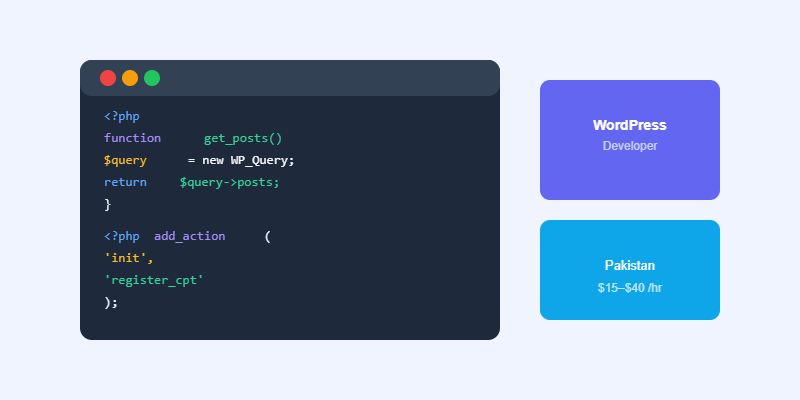
WordPress hooks actions filters code diagram

What Are WordPress Hooks?

A hook is a defined point in WordPress’s execution where you can attach your own custom code. WordPress runs through a sequence of operations when loading every page — querying the database, building the HTML, sending the response. Hooks let you insert your code at specific points in that sequence.

Actions vs Filters

Actions (add_action)

Actions let you run code at a specific point in WordPress execution without needing to return a value. Examples: run code when a post is saved, add HTML to the page footer, register a custom post type on WordPress initialisation. You hook into an action with add_action(‘action_name’, ‘your_function’).
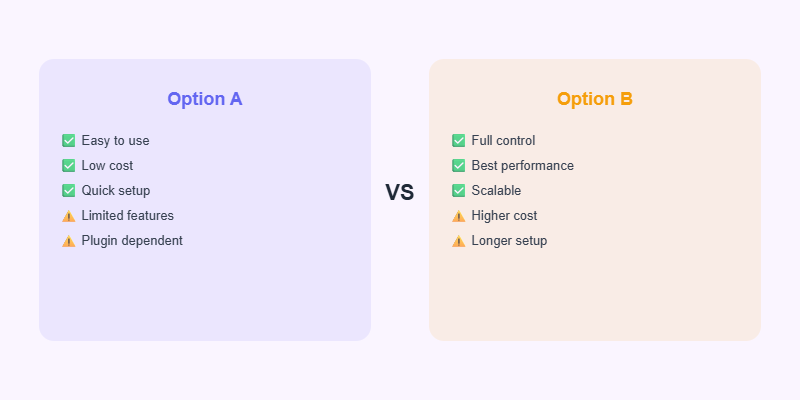
Action vs filter hooks comparison WordPress

Filters (add_filter)

Filters let you receive a value, modify it, and return the modified version. Examples: add text to the beginning of all post content, change the excerpt length, modify the list of allowed HTML tags. You hook into a filter with add_filter(‘filter_name’, ‘your_function’) and your function must return the modified value.

Priority and Arguments

Both add_action and add_filter accept a third parameter (priority, default 10) and fourth parameter (number of arguments). Lower priority numbers run first. If two functions hook into the same action, the one with priority 5 runs before the one with priority 20.

Start Your Next Web Project

WordPress, WooCommerce and AI automation — professional delivery from Softnexis Technologies.

Start Your Project →

WordPress hooks: frequently asked questions

What is the difference between WordPress hooks: actions and filters?

Actions run your code at a specific moment, such as when a post is saved. Filters receive data, change it and return it. Both WordPress hooks let you customise behaviour without editing core files.

Where should I add WordPress hooks?

Add WordPress hooks in a child theme functions.php file or, better, in a small custom plugin so your changes survive theme updates.

Further reading

See the full reference in the official WordPress Plugin Handbook.

M

Written by M.Salman

Practical notes from the Softnexis Technologies team on websites, online stores, hiring and dispatching.

Start today

Let's build something that moves your business forward

Whether you need a new WordPress website, a Shopify store that converts, the right people for your team, or reliable truck dispatching support, Softnexis Technologies brings it all together under one roof. Tell us about your project and we will get back to you within one business day.

  • Free first consultation
  • Written quote, no hidden fees
  • Reply within one business day

What happens next

  1. 1Tell us about your projectShare your goals, budget and timeline in a short form.
  2. 2Get a written plan and quoteWe reply within one business day with scope, price and next steps.
  3. 3We build and supportOne accountable team delivers, launches and stays available.

Trusted & Verified

Client reviews

What our clients say about us

Real feedback from clients who have worked with Softnexis Technologies, shared on Google and Upwork.

★★★★★

SoftNexis Technologies Pvt Ltd stands out for its exceptional service delivery and highly skilled technical team. Every team member demonstrates deep passion, sincerity, and a client-first mindset. They are definitely a rising star in the tech industry!

Yasir ShahzadGoogle review
★★★★★

I cannot recommend Mudasir highly enough. He provided that extra effort and understanding to get things done. Never a complaint or problem with absolutely the right attitude.

Walter F.Upwork · Shopify marketing campaign
★★★★★

Amazing to work with. I recommend for anyone to use him because his work and communication is the best.

Upwork clientUpwork · Shopify project manager
★★★★★

Identified trending, viral-ready products for social media with strong market research and data-backed insights. Clear strategy, well-organized findings, and professional execution.

Hatim Q.Upwork · Product hunting
★★★★★

Mudasir Shakoor expertly managed Shopify store operations, improving sales, organization, and overall e-commerce performance efficiently.

Ali H.Upwork · Shopify store management
★★★★★

He can literally code you whatever you want! Highly recommend working with him. Good job he does.

Marko K.Upwork · Shopify custom coding
★★★★★

Outstanding work! Delivered exactly what was needed, on time, and with great attention to detail.

Muhammad Naeem R.Upwork · Meta Pixel setup
★★★★★

Exceeded expectations! The attention to detail and dedication were outstanding. Will definitely order again.

Upwork clientUpwork · Shopify dropshipping store
★★★★★

Highly impressed with the work quality! Timely delivery and excellent communication. Would definitely recommend.

Ali H.Upwork · Product sourcing
★★★★★

Great work.

Dylan K.Upwork · Shopify store manager
★★★★★

Nice place, great staff, a lot of experience.

Rehman ShafiqGoogle review
★★★★★

Rated Softnexis Technologies 5 out of 5 stars on Google.

Ammar HaiderGoogle review


