


A WordPress staging environment is a private copy of your live site where you can safely test plugin updates, theme changes, new features, and migrations without risking downtime or breaking the live site for your visitors. Every serious WordPress project should have one.
Why You Need a WordPress Staging Environment
Plugin updates cause site-breaking conflicts far more often than most site owners realise. A staging environment lets you update plugins, test compatibility, and fix any issues before applying the changes to your live site. Without a staging site, you are testing updates on your live site — and every breakage is visible to every visitor.
How to Create a WordPress Staging Environment
Option 1: Hosting Panel Staging
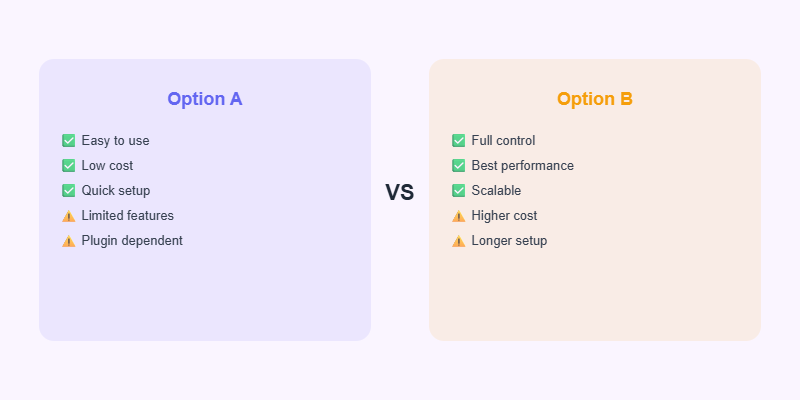
Most managed WordPress hosts (Kinsta, WP Engine, SiteGround, Flywheel) include one-click staging environments in their control panels. Click “Create Staging Site,” and the host clones your live site to a private URL. When you are done testing, push changes back to live with one click. This is the easiest and most reliable approach.
Option 2: WP Stagecoach Plugin
WP Stagecoach creates a staging site on your own hosting by duplicating your WordPress files and database to a subdomain. It includes a push-to-live feature that selectively applies your staging changes to the live site while preserving live-site content created after the staging was set up.
Option 3: Local Development with Local WP
For developers, Local WP (by Flywheel) creates a full WordPress development environment on your computer in minutes. You work offline, push to a staging server when ready, and then deploy to live. The cleanest workflow for any significant development work.
Need a WordPress Expert?
Softnexis Technologies builds fast, SEO-optimised WordPress websites and AI automation solutions.
WordPress staging environment: frequently asked questions
Is a WordPress staging environment free?
Many managed hosts include a WordPress staging environment at no extra cost. Plugins like WP Staging also offer free versions for basic copies.
Should a WordPress staging environment be hidden from Google?
Yes. Block indexing with a noindex setting or password protection so your WordPress staging environment does not create duplicate content.
Further reading
Learn more in the official WordPress development environment docs.



