
Your website maintenance cost is what you pay each month or year to keep your site secure, fast, backed up and up to date. Many business owners budget for building a website but forget maintenance, until a plugin breaks, the site is hacked or speed drops. In 2026, website maintenance cost ranges from about 30 USD per month for a simple site to over 1,000 USD for large e-commerce stores and web applications. Here is what drives the price and what a good plan includes.
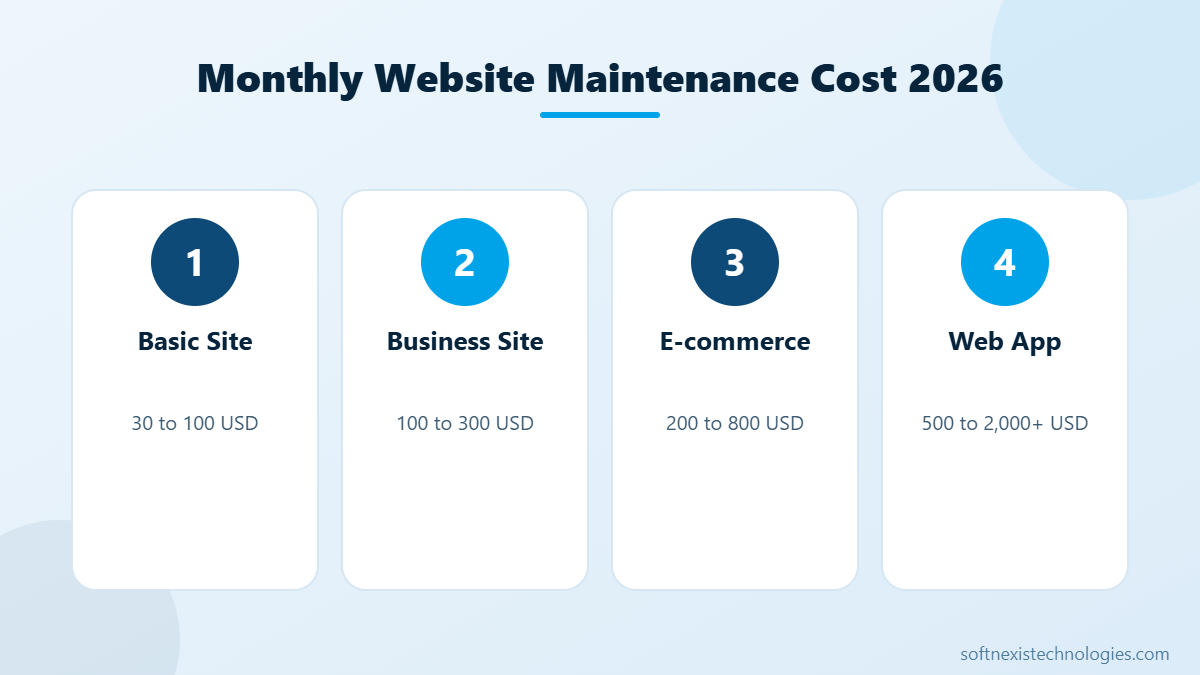
Website maintenance cost by site type
- Basic brochure website: 30 to 100 USD per month for updates, backups, security and uptime monitoring.
- Business website with blog and forms: 100 to 300 USD per month, often including small content edits and speed checks.
- E-commerce store: 200 to 800 USD per month for WooCommerce or Shopify, covering plugin or app updates, checkout testing and performance.
- Custom web application: 500 to 2,000 USD or more, including bug fixes, server updates and small features.
What affects website maintenance cost?
- Platform: WordPress needs regular plugin updates. Shopify handles hosting but apps and themes still need care.
- Number of plugins and integrations: more moving parts means more testing after updates.
- Traffic and sales: busy stores need closer monitoring and faster response times.
- Content changes: frequent page or product updates add hours.
- Security requirements: payments and personal data need stronger protection.
Hidden costs to budget for
- Hosting: 10 to 100 USD per month, more for high-traffic sites.
- Domain renewal: around 10 to 20 USD per year.
- Premium plugin and theme licences: 50 to 500 USD per year.
- Shopify plan and app subscriptions.
- Emergency fixes after a hack or broken update, often far more expensive than prevention.
DIY or professional maintenance?
You can handle basic updates yourself, but you need backups, a staging site to test updates and the skills to fix problems quickly. For most businesses, a professional plan costs less than one day of downtime or a hacked site. Our WordPress maintenance checklist shows every task involved.
How to reduce website maintenance cost
- Remove unused plugins and apps.
- Use quality hosting with automatic backups.
- Keep the design simple and avoid heavy page builder add-ons.
- Choose an annual plan, which is usually cheaper than paying per fix.
Website maintenance with Softnexis
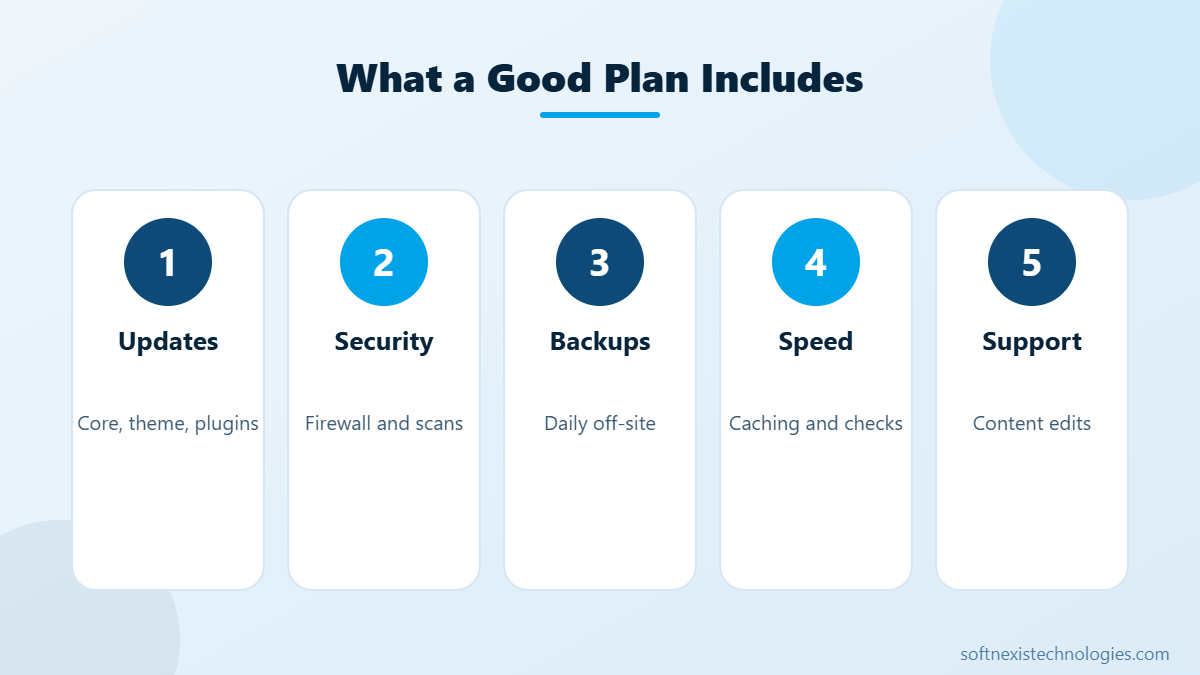
Softnexis Technologies offers affordable website maintenance services for WordPress, WooCommerce and Shopify, including updates, security, backups, speed optimisation and content edits. Clear monthly pricing, no surprises. Get a maintenance quote today.
Key takeaways: website maintenance cost
- Website maintenance cost ranges from about 30 USD to over 1,000 USD per month.
- Plugins, integrations and traffic drive most of the price.
- Backups, security and updates are non-negotiable.
- Prevention is far cheaper than emergency repairs after a hack.
Think of website maintenance cost as insurance for your online sales and reputation. A small monthly plan keeps your site fast, secure and up to date, so it keeps generating leads instead of causing problems.
Your next step
Pick the two or three actions above that fit your situation, assign an owner and a deadline, and review the results after 30 days. Small, steady improvements add up quickly. If you would rather have experts handle it, the Softnexis Technologies team can audit your current setup, share a clear priority list and implement the changes for you. Talk to our team for a free consultation and a written plan within 24 hours.
Website maintenance cost: FAQs
How much should a small business pay for website maintenance?
Most small businesses pay between 50 and 300 USD per month, depending on the platform, plugins and how often content changes.
Is website maintenance really necessary?
Yes. Without updates, backups and security monitoring, sites become slow, vulnerable to hacks and can break after browser or plugin changes.
Does Shopify need maintenance?
Shopify manages hosting and security, but themes, apps, product data, speed and SEO still need regular attention.
Further reading
Read WordPress security checklist. For security basics, see the WordPress hardening guide.
Featured image by Freepik.