

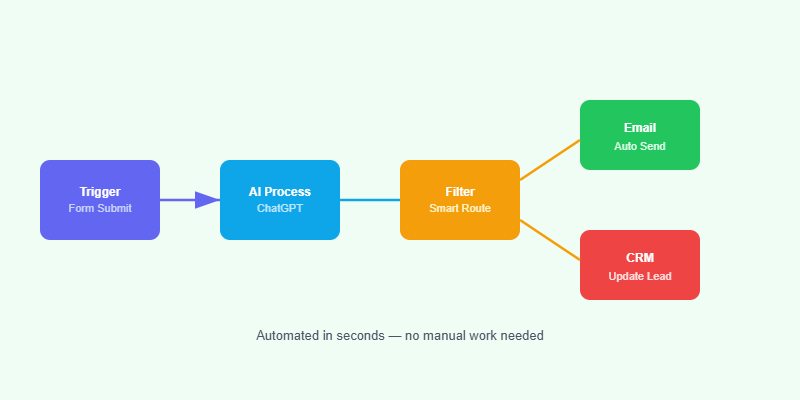
ChatGPT API integration in WordPress opens the door to intelligent chatbots, automatic content suggestions, smart search, and AI-powered customer service — all running inside your existing WordPress stack. This guide walks through the practical implementation for agencies and developers.
What Can You Build with ChatGPT API in WordPress?
- Customer support chatbot: Answers product and service questions 24/7 using your site’s content as context.
- Content assistant: Helps authors draft blog posts, generate titles, or rewrite sections from inside the editor.
- Intelligent search: Returns semantic search results rather than exact keyword matches.
- Lead qualification: Asks prospects qualifying questions and routes them to the right service page or form.
- FAQ generator: Automatically creates FAQ blocks from existing page content for schema markup.
ChatGPT API WordPress Integration: Getting Started
Step 1: Get Your API Key
Create an account at platform.openai.com and generate an API key. Choose between GPT-4o for best quality or GPT-3.5-turbo for lower cost. Store the key in wp-config.php or a server-side environment variable — never in the frontend JavaScript.
Step 2: Create a WordPress Plugin
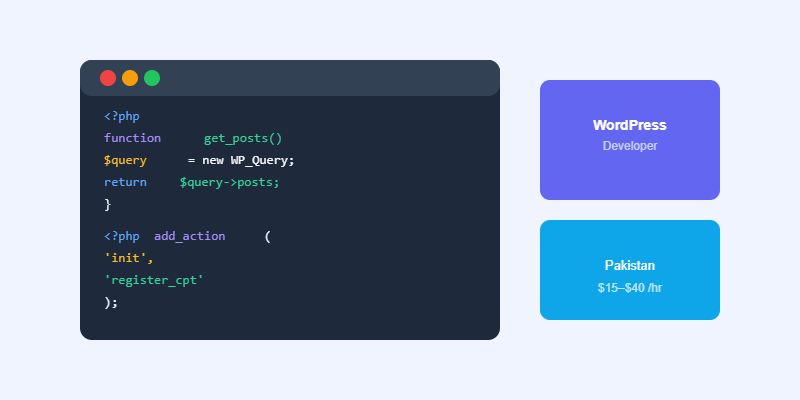
Build a simple plugin that registers a REST API endpoint, handles the API request to OpenAI, and returns the response. Use WordPress’s wp_remote_post() function to make the API call server-side, keeping your API key secure.
Step 3: Build the Frontend Interface
Use a React component rendered via wp_enqueue_script or a simple jQuery Ajax call to connect the chat interface to your WordPress REST endpoint. Stream responses back to the user using Server-Sent Events for a smoother experience.
Step 4: Add Context with Your Content
The most powerful ChatGPT integrations add context from your site’s pages, products, or FAQs to every prompt. Retrieve relevant content using a WordPress WP_Query, compress it, and include it in the system prompt so the AI answers based on your specific business information.
Cost Considerations
GPT-4o costs approximately $5 per million input tokens and $15 per million output tokens. A typical chatbot interaction uses 500–1,500 tokens. For a site handling 1,000 conversations per month, API costs typically run between $5–$20 per month — affordable for any business.
Build a Custom AI Integration for Your WordPress Site
Softnexis Technologies builds custom ChatGPT integrations and AI-powered WordPress plugins. Tell us what you need and we’ll scope a solution.
Ready to Start Your Project?
Softnexis Technologies builds fast WordPress websites and AI automation solutions. Let’s talk about your goals.
ChatGPT API integration: frequently asked questions
How much does ChatGPT API integration cost?
You pay per token used. Most small sites spend a few dollars a month after ChatGPT API integration, as long as you cache answers and limit usage.
Is ChatGPT API integration safe for user data?
Keep API keys on the server, avoid sending personal data and follow the provider usage policies.
Further reading
Read the official OpenAI API documentation.

