


Make vs Zapier is the most common automation tool comparison. When it comes to automating business workflows without code, Make.com vs Zapier is the comparison that comes up most. Both tools connect your apps and automate repetitive tasks. The differences in pricing, complexity, and capability, however, make each tool better suited to a different type of user.
What Is Zapier?
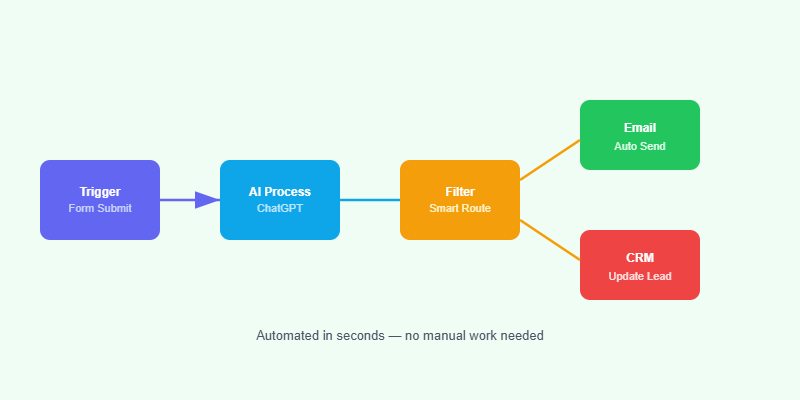
Zapier is the most widely used no-code automation platform. It connects over 6,000 apps through simple trigger-and-action workflows called Zaps. You set a trigger (a new form submission) and an action (send an email), and Zapier handles the rest. It is designed for non-technical users who need automations running within minutes.
What Is Make.com?
Make.com (formerly Integromat) is a visual automation platform that uses a flowchart-style canvas to build complex multi-step workflows. It supports branching logic, error handling, data transformation, and iterators — features that take Zapier several premium tiers to match. It is more powerful but requires more setup time.
Make.com vs Zapier: Head-to-Head
Ease of Use
Zapier is simpler. Building a basic automation takes five minutes. Make.com’s visual canvas is intuitive once you understand it, but the learning curve is steeper — expect an hour or two before you feel comfortable.
Pricing
Zapier’s free plan allows 100 tasks per month across five Zaps. Paid plans start at around $20 per month and scale quickly as task volume increases. Make.com’s free plan allows 1,000 operations per month, and its paid plans start at around $9 per month — significantly cheaper for the same volume of work.
Complexity of Workflows
Make.com handles complex workflows far more elegantly. Multi-path branching, loops, aggregators, and data manipulation functions are all built-in. In Zapier, complex logic often requires multiple chained Zaps and a higher-tier plan.
Error Handling
Make.com has built-in error handlers that let you define what happens when a step fails. Zapier’s error handling is more limited without the Team or Company plan.
Number of Integrations
Zapier connects to more apps (6,000+) than Make.com (1,000+). For unusual or niche tools, Zapier is more likely to have a native connector.
Which Should You Choose?
Choose Zapier if:
- You need quick, simple automations without a learning curve.
- Your apps are in Zapier’s library but not in Make.com’s.
- Your team is non-technical and needs to build their own workflows.
Choose Make.com if:
- You need complex, multi-step workflows with conditional logic.
- Cost is a priority and you handle high task volumes.
- You need fine-grained control over data transformation between steps.
- You want to build proper error handling into every workflow.
Can You Use Both?
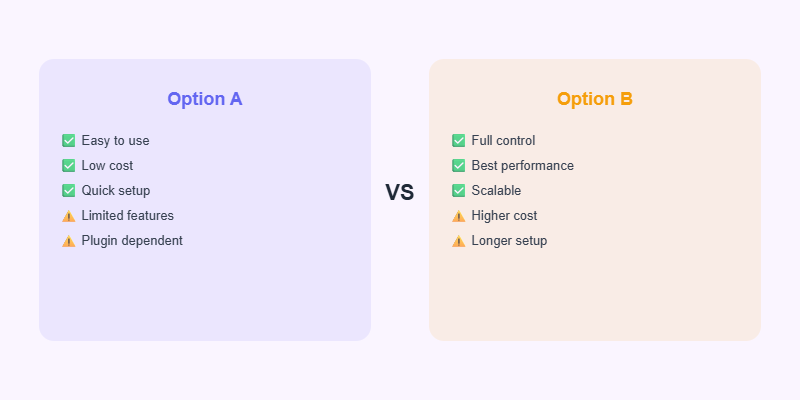
Yes. Some businesses use Zapier for quick, simple automations where convenience matters more than cost, and Make.com for complex data pipelines where flexibility is essential. Most eventually consolidate onto Make.com as their automation needs grow.
Need Help Building Automation Workflows?
Softnexis Technologies builds Make.com and Zapier workflows for businesses that want to save hours every week. Get in touch to discuss your automation needs.
Ready to Start Your Project?
Softnexis Technologies builds fast WordPress websites and AI automation solutions. Let’s talk about your goals.
Make vs Zapier: frequently asked questions
Is Make cheaper than Zapier?
For most multi-step workflows, yes. In the Make vs Zapier comparison, Make usually costs less per operation.
Which is easier for beginners, Make vs Zapier?
Zapier is slightly easier for simple two-step zaps, while Make is better for visual, complex scenarios.
Further reading
Compare plans on the Zapier pricing page.

